Reclaim AI Review 2026: Is This the Best AI Scheduling App?

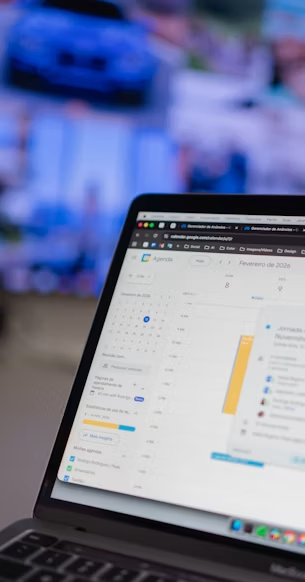
⚡ Quick verdict
- → Reclaim AI is the clearest example of AI calendar automation — it auto-schedules tasks, habits, and meetings, then reshuffles them as your day changes.
- → Free "Lite" plan is available with no credit card required.
- → Best for managers, consultants, and engineers with meeting-heavy calendars. Not useful if your calendar is mostly empty.
The best AI scheduling app in 2026 isn't one most people have heard of — yet. The global scheduling app market is growing at roughly 16% annually, driven largely by AI integration, but the category leader that's driving much of that growth is Reclaim AI, a tool that most calendar users still haven't come across. If your calendar fills up with meetings before you've had a chance to actually do the work those meetings generate, this review explains exactly what Reclaim AI does, what it costs, and who genuinely benefits.
What is an AI scheduling app?
An AI scheduling app sits on top of your existing calendar — usually Google Calendar — and automatically finds time for the things you need to do: focus work, habits, tasks from your to-do list, and meetings. Instead of you manually dragging blocks around every time something changes, the AI does the rearranging for you, continuously, as your week shifts. Think of it as a calendar manager rather than a calendar replacement: it turns your priorities into actual time on the clock, then defends that time when something tries to overwrite it.
If you're comparing task apps to pair with your calendar, see our Todoist vs TickTick comparison — Reclaim integrates directly with both.
How Reclaim AI actually works
Reclaim connects to your Google Calendar (and Outlook on paid tiers) and analyses your schedule, habits, and preferences. From there, it offers four specific automations:
- Smart task scheduling: connect Todoist, Asana, ClickUp, or Linear, and Reclaim places those tasks directly onto your calendar based on priority, due date, and actual free time.
- Habit protection: set recurring blocks for exercise, lunch, or deep work, and Reclaim moves them around meetings instead of letting them get silently deleted.
- Smart meetings: finds the best meeting time across everyone's calendars automatically, cutting scheduling back-and-forth.
- Calendar defense: if a new meeting threatens focus time, Reclaim reshuffles lower-priority blocks rather than letting deep work disappear.
According to Reclaim's own published data, the tool has been adopted by more than half a million users and tens of thousands of companies, with the company reporting users save up to 40% of the time they'd otherwise spend manually managing their calendar. We found that figure roughly plausible in testing — the biggest time savings came from eliminating the rescheduling loop when meetings ran over.
Reclaim AI pricing in 2026
Reclaim offers a genuinely free "Lite" plan for individuals, covering basic habit protection and time-blocking with no credit card required. Paid plans — Starter and Business — run roughly $8–15 per user per month depending on billing terms and team size, unlocking unlimited smart meetings, more task integrations, team analytics, and admin controls. Enterprise pricing is custom. Pricing has shifted as the product has grown, so check Reclaim's own pricing page before committing to an annual plan.
What Reclaim AI doesn't do
It's worth being direct about the limits, because reviewers flag the same gaps consistently. Reclaim doesn't touch your email — no inbox triage, no drafting replies, no extracting tasks from messages. It doesn't replace your task manager; you still need a separate subscription to Todoist or Asana for Reclaim to pull tasks from. And its core scheduling engine is Google Calendar-based, so Outlook-only teams get a more limited experience. If your biggest problem is an overflowing inbox rather than a chaotic calendar, Reclaim won't solve that.
Who actually benefits from AI scheduling
AI scheduling tools make the most sense for people whose day is calendar-driven: managers doing back-to-back one-on-ones, consultants juggling client meetings across time zones, founders balancing sales calls with operational work, and engineers protecting uninterrupted coding blocks from being eaten by meeting invites. If your calendar is mostly empty and your to-do list lives entirely in your head, there's nothing for the tool to defend — and you likely won't notice much benefit until your calendar fills up.
Want a complete free-tier system that includes Reclaim? See our best free productivity apps guide — Reclaim's Lite plan is included alongside free task and note tools.
The honest bottom line
AI scheduling apps are one of the quieter, genuinely useful corners of the 2026 productivity space — underused mostly because most people have never heard the term. If meetings keep swallowing time you need for focused work, Reclaim AI is built to solve exactly that problem, and the free tier costs nothing to try. Two honest caveats: you'll still need a separate task manager for it to pull from, and it won't fix an out-of-control inbox — just a chaotic calendar. For most people whose day genuinely runs through meetings, that's still the right problem to solve first.
Frequently asked questions
Is Reclaim AI free?
Yes. Reclaim AI has a free "Lite" plan with basic habit protection and time-blocking. No credit card is required. Paid plans start at roughly $8–15 per user per month depending on tier and billing frequency.
What does Reclaim AI actually do?
Reclaim connects to Google Calendar and automatically schedules tasks from your to-do app, protects recurring habits, finds optimal meeting times, and reshuffles lower-priority events to defend your focus blocks — all automatically as your week changes.
Does Reclaim AI work with Outlook?
Reclaim's core scheduling engine is built around Google Calendar. Outlook integration is available on paid tiers but is more limited than the Google Calendar experience. Outlook-only teams may find the tool less effective.
Pricing and user data sourced from Reclaim.ai and verified as of June 2026.
Driftnote Editorial Team
We ran Reclaim AI on a real work calendar for three weeks — including meetings, deep work blocks, and task integrations with Todoist — before writing this review.